








Website Search
All databases are available from this page.
Read articles from magazines and journals, learn a new language, or locate a newspaper article. These resources can't be found with a search engine but are available for free with your library card.
With your free library card, gain access to a diverse collection of print books, ebooks, audiobooks, online classes and databases, and more. You can apply for a traditional, wallet-sized card and key chain tag or a digital library card to add to your smartphone’s digital wallet (iOS and Android compatible).
Learning doesn’t stop at the end of the school day. The Lexington Public Library is here to support your education at every level, from birth through college, with skill-building tools, live tutoring, standardized test prep, after-school programs, and more.
Meet with a librarian for one-on-one consultation. Please submit the Book a Librarian Appointment Request Form or call 859-231-5500 during business hours to schedule an appointment. Appointments are scheduled Monday-Friday during Library business hours and typically last 30 to 45 minutes.
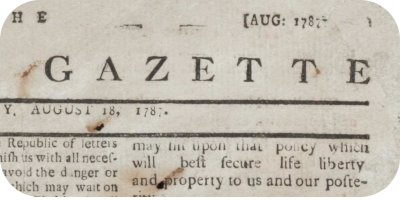
Search, view, and download digitized historical Lexington, KY Newspapers covering the 18th, 19th and 20th centuries.

Find trusted information in this multimedia encyclopedia for elementary, middle school, and high school students in Spanish. Provided by the Kentucky Virtual Library.
The Lexington Public Library offers an Interlibrary Loan (ILL) service which allows cardholders in good standing to borrow books and receive copies of articles we do not own and cannot purchase. Our borrowing network includes over 4,000 participating public and academic libraries.
The Materials Selection Policy was initially adopted February 25, 1987 by the Lexington Public Library Board of Trustees and was revised March 24, 1993. The Materials Selection Policy was updated and renamed the Collection Development Policy which was approved by the Board on January 14, 2009. The Board of Trustees assumes full responsibility for all legal actions which may result from the implementation of any policies stated herein.



