








Website Search
Displaying results 451 - 475 of 849
-
Central Library - Meeting Room B
Herbs are usually what give many of our favorite foods their characteristic taste, like the boldness of a pasta sauce or the depth of a savory soup or stew. Generally, these ingredients add to the dish by providing a new dimension of flavor.


-
Central Library - Kloiber Foundation STEAM Lab
Children 7 and under must be accompanied by a responsible caregiver. Please note that we will be building with the classic Lego bricks that contain small parts.
-
Eastside Branch - Large Meeting Room
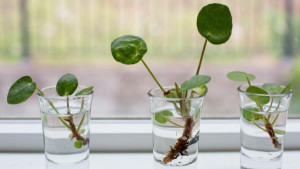
Have a spider plant that just keeps propagating? Is your pothos in need of a snip? Want to share some bonus seeds from last planting season?
Bring your plant extras to Eastside for a swap with fellow plant enthusiasts!
**Please bring your own containers for travel!
Registration recommended

-
Eastside Branch - Children's Program Room
Enjoy songs, bounces, stories, and social time for babies and their caregivers. Recommended for ages 0 to 18 months.
-
Eastside Branch - Children's Program Room
Enjoy songs, bounces, stories, and social time for babies and their caregivers. Recommended for ages 0 to 18 months.
-
Northside Branch - Large Meeting Room
-
Northside Branch - Large Meeting Room
-
Marksbury Family Branch - Community Room (A & B)
Become a Greek hero by defeating monsters from Greek Mythology with various tasks and puzzles. This program is recommended for ages 6-12.
-
Eastside Branch
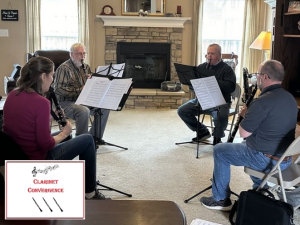
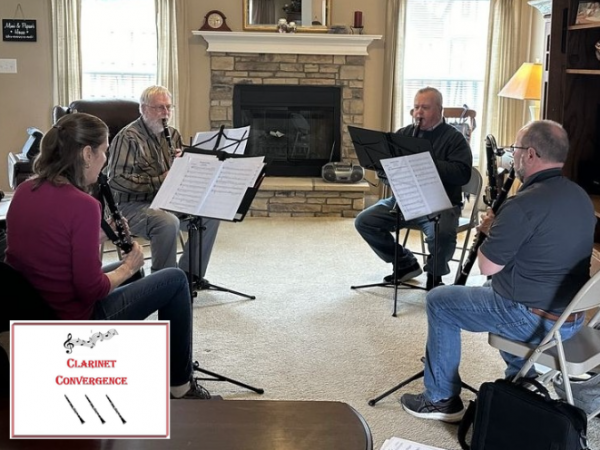
Join us by the Eastside fireplace for an afternoon of patriotic music by Clarinet Convergence. The Clarinet Convergence Quartet have been performing together since 2022 throughout Central Ky.
-
Central Library - Kloiber Foundation STEAM Lab
Participants are welcome to drop-in anytime between 3:30-5:30 pm and stay as little or as long as you would like!
Children 7 and under must be accompanied by a responsible caregiver.
If you are planning on bringing a large group (10+ people) please contact our Experiential Learning Associate for accommodations. (859) 231-5500 ext. 1147
-
Beaumont Branch - Large Meeting Room
Enjoy songs, bounces, stories, and social time for babies and their caregivers. Recommended for ages 0 to 18 months.
-
Central Library - Farish Theater
June 11: The Day The Earth Blew Up (PG)
June 17: Bad Guys 2 (PG)
June 25: GOAT (PG)
July 7: Hoppers (PG)
July 14: Zootopia 2 (PG)
July 22: Super Mario Galaxy Movie (PG)
-
Central Library - Meeting Room D
Join us for a fun craft activity on Wednesday afternoons in the summer! Materials provided while supplies last. Dress for mess please.
-
Eastside Branch - Children's Program Room
The weekly classes will be informal and guided by a moderator. EVERYONE is welcome - ANY native language, ANY English level. No registration needed. Practica ingles y conoce gente nueva. ¡Todos son bienvenidos! ¡Todos los idiomas, todos los niveles de ingles. Jifunze Kiingereza na kukutana na watu wapya. Kila mtu anakaribishwa!
-
Marksbury Family Branch - Keeneland Community Room
Este es un ambiente divertido e informal para practicar y mejorar tu inglés. Participantes de todos los niveles de inglés, son bienvenidos. Tenemos un nuevo tema para cada reunión. Para hispanohablantes.

-
Central Library
Are you strange and unusual?
Do you like strange and unusual reads?
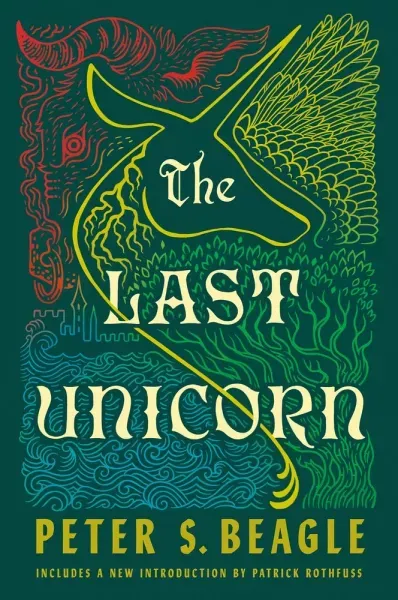
Join us at West Sixth Brewing for our monthly Cult Classics Book Club! This month, we will be discussing "The Last Unicorn" by Peter S. Beagle. Copies of the book are available at the previous month meeting, or the Central Library's front desk.
-
Northside Branch - Story Room
Enjoy songs, bounces, stories, and social time for babies and their caregivers. Recommended for ages 0 to 18 months.
-
Marksbury Family Branch - Keeneland Community Room
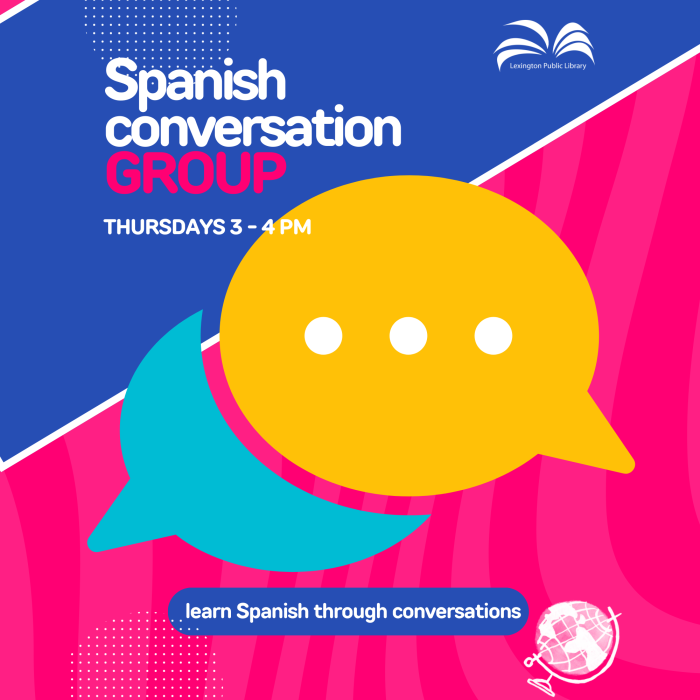
Are you interested in enhancing your Spanish speaking abilities? If so, we would like to invite you to our weekly group meeting. Our friendly group is open to everyone who wants to practice speaking Spanish in a supportive and welcoming environment. You will have the opportunity to meet new people who share your interest in the language and culture.
-
Central Library - Kloiber Foundation STEAM Lab
Participants are welcome to drop-in anytime between 3:30-5:30 pm and stay as little or as long as you would like!
Children 7 and under must be accompanied by a responsible caregiver.
If you are planning on bringing a large group (10+ people) please contact our Experiential Learning Associate for accommodations. (859) 231-5500 ext. 1147
-
Northside Branch - Large Meeting Room
Join Financial Advisor Chris Cantrell for an informational seminar covering the financial essentials every family needs to know: budgeting, getting out of debt, credit scores, taxes, retirement saving and financing major life decisions. Registration requested.
-
Tates Creek Branch
The weekly classes will be informal and guided by a moderator. EVERYONE is welcome - ANY native language, ANY English level. No registration needed. Practica ingles y conoce gente nueva. ¡Todos son bienvenidos! ¡Todos los idiomas, todos los niveles de ingles. Jifunze Kiingereza na kukutana na watu wapya. Kila mtu anakaribishwa!
-
Tates Creek Branch - Large Meeting Room
Enjoy songs, bounces, stories, and social time for babies and their caregivers. Recommended for ages 0 to 18 months.
-
Central Library - Kloiber Foundation STEAM Lab
Participants are welcome to drop in anytime during the program and stay as little or as long as they would like!
Children 7 and under must be accompanied by a responsible caregiver.
If you are planning on bringing a large group (10+ people) please contact our Experiential Learning Associate for accommodations. (859) 231-5500 ext. 1147
-
Central Library - Farish Theater
Based on the book by Stephen King and starring Dee Wallace and Danny Pintauro, Cujo is the story of when man's best friend becomes his worst enemy.
Rated R.