







Etta Evans Gilmore was born in Fleming County, Kentucky, on February 4, 1885, to Robert Evans and Matilda Fawns. She married Henry Steele Gilmore, a Bath County physician, around 1906. Their son Robert was born in 1906 and daughter…
Instantly borrow eBooks and audiobooks free with your library card — anytime, anywhere. Use the Libby app to create wish lists, get notified of new releases, and send eBooks straight to your tablet or Kindle.
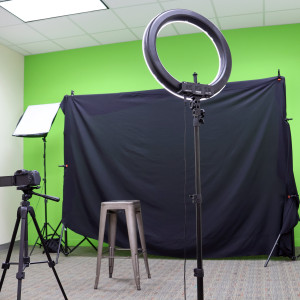
Hit record in the new podcast studio — now open at the Northside Digital Studio! Whether you're just starting or leveling up, the space is ready for your voice.
Everyone deserves a place to discover something new. The Lexington Public Library champions free and open access to information, offering a safe and welcoming space where neighbors can learn, create, and connect. Your support empowers a community engaged in lifelong discovery.
Whether you’re into mysteries, memoirs, cookbooks, classics, or something in between, we’ve got a club for you. Choose from a variety of book clubs for different ages and interests or join us for a readers and writers event.
Schedule a one-on-one consultation to learn library skills, get help with research and job searches, have a test proctored by one of our librarians, and more.
Etta Evans Gilmore was born in Fleming County, Kentucky, on February 4, 1885, to Robert Evans and Matilda Fawns. She married Henry Steele Gilmore, a Bath County physician, around 1906. Their son Robert was born in 1906 and daughter…
This collection consists of Black community news published under the headline “Colored Churches,” “In Colored Circles,” or “Colored Notes”; and other articles of social interest, including marriages, public events, and obituaries.
Program details the agenda of the December 31, 1916, service commemorating the 25th anniversary of Rev. Mark Collis's affiliation with Broadway Christian Church.
Compiled by Cyrus Parker Jones, a man formerly enslaved by the Parker family, these funeral notices cover 667 funerals of individuals in Lexington, including seven free blacks. The funeral notices cover the years 1806-1886. Jones…
The Daily Lexington Atlas ran from late 1847 through early 1849 and was Lexington’s first daily paper, and the first to publish information from the telegraph lines. It is described by William Perrin in his 1882 History of Fayette…
The 1906-07 Lexington cross directory contains residential and business information for the city, arranged both alphabetically and by street, with a business listing by category. It also contains city officials and departments, and…
This collection of letters to and from portrait artist Sudduth Goff (1887-1965) is part of the library's Duncan-Goff scrapbook collection.
The Elmer L. Foote Collection is a group of 190 lantern slides. They were created by Elmer L. Foote, a Cincinnati photographer and library staff member whose pictures appeared in the Cincinnati Commercial Tribune.
Letters to and from Father William T. Punch (1874-1933). Father Punch was instrumental in building the 3rd St. Peter Catholic Church on Barr Street in Lexington, KY.
The city report covers the outline of a citizen participation work plan and its connection with neighborhood groups, as well as the results of those meetings and community concerns that took place throughout 1969. It contains…
This half of the record book contains burial records for St. Paul Catholic Church parishioners.
Program features the activities and accomplishments of the previous year’s Empress and Emperor while providing the layout of the current year’s coronation proceedings. Features advertisements for local businesses and photographs of the…
This letter collection was collected by Judge Kenneth Lyons. The earliest date of the letters is 1862, from Bourbon and Nicholas Counties, Kentucky. Some letters are fragments.
The diary (ca. 1899) of Katherine Pettit, details her settlement work for the Kentucky Confederation of Women's Clubs, made yearly trips to Hazard during this period and was a central figure in establishing the Hindman (Kentucky)…
This issue contains information about Kentucky highways, colleges, and agriculture. It also features articles on Bardstown and the song “My Old Kentucky Home” by Stephen Collins Foster.
The title recounts the history of the various kinds of entertainment in early Lexington, including names of theaters, actors, producers, and plays.
The Lexington Weekly Press was published every Wednesday in Lexington, Kentucky, and contained local, state, and foreign news. The paper focused on Central Kentucky’s “agriculture, manufactures and fine stock”, as well as literary and…
The Kentucky Leader was published from 1888 until the name changed in 1895 to the Daily Leader. They focused on local and national news. The Daily Leader was published from 1895-1901 until the name was changed to the Lexington Leader.…
Scans of the Black Marriage records from the Courthouse in Greenville, Kentucky.
This is a handwritten series of lectures detailing Samuel D. McCullough's memories of his childhood and life in Lexington, Kentucky, accompanied by letters and a photograph of his house.
The Eastern Kentucky Review contains articles about Eastern Kentucky State Teachers College. This particular issue contains photos of buildings, graduating seniors, students, clubs, and activities, and includes photos and information…
The Daily Argonaut began in 1895 and seems to have ceased publication in 1899. This collection includes scattered issues from 1895, 1896, 1897 and 1898.
The Independent Gazetteer was founded and printed by James Charless in 1803, with ads appearing in the Kentucky Gazette about its upcoming publication. The first issue was printed March 29, 1803. The paper was later sold to Robert Kay…
The Kentucky Reporter is the weekly continuation of The Reporter, which changed names in October 1817. It reports on local and national news. 1827 is the only semi-weekly run of this newspaper.
The Reporter was a weekly Republican paper, occasionally semi-weekly when Congress was in session. Continued publication throughout the War of 1812.
The True American was an anti-slavery newspaper started by Cassius Marcellus Clay in June 1845. He ran the paper in Lexington until August of 1845, when he published an article deemed so incendiary that at court injunction was issued…
This work contains information about French Emigrants to America over the years 1789-1799, and provides a history of the French Revolution. The work was originally in French, and was translated into English by an anonymous translator…
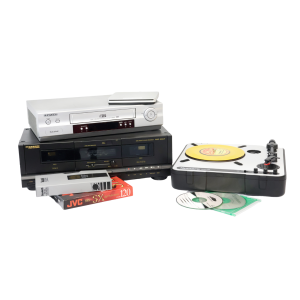
Digitize cassettes, Blu-rays, DVDs, CDs, records, VHS, slides, and negatives. 32 GB flash drives are available for purchase, but you may need to bring additional storage depending on the size of the project.
Visit the following learning spaces to get started.
Fire small pieces made of precious metal clay. Available by appointment only. Please supply your own personal materials for firing.
The machine can hold items with a maximum size of 2.5 x 1.5 inches. Speak with an Eastside Makerspace staff member to schedule an appointment to use the tabletop kiln.
Visit the following learning spaces to get started.
Etta Evans Gilmore was born in Fleming County, Kentucky, on February 4, 1885, to Robert Evans and Matilda Fawns. She married Henry Steele Gilmore, a Bath County physician, around 1906. Their son Robert was born in 1906 and daughter…
This collection consists of Black community news published under the headline “Colored Churches,” “In Colored Circles,” or “Colored Notes”; and other articles of social interest, including marriages, public events, and obituaries.
Program details the agenda of the December 31, 1916, service commemorating the 25th anniversary of Rev. Mark Collis's affiliation with Broadway Christian Church.
Compiled by Cyrus Parker Jones, a man formerly enslaved by the Parker family, these funeral notices cover 667 funerals of individuals in Lexington, including seven free blacks. The funeral notices cover the years 1806-1886. Jones…
The Daily Lexington Atlas ran from late 1847 through early 1849 and was Lexington’s first daily paper, and the first to publish information from the telegraph lines. It is described by William Perrin in his 1882 History of Fayette…
The 1906-07 Lexington cross directory contains residential and business information for the city, arranged both alphabetically and by street, with a business listing by category. It also contains city officials and departments, and…
This collection of letters to and from portrait artist Sudduth Goff (1887-1965) is part of the library's Duncan-Goff scrapbook collection.
The Elmer L. Foote Collection is a group of 190 lantern slides. They were created by Elmer L. Foote, a Cincinnati photographer and library staff member whose pictures appeared in the Cincinnati Commercial Tribune.
Letters to and from Father William T. Punch (1874-1933). Father Punch was instrumental in building the 3rd St. Peter Catholic Church on Barr Street in Lexington, KY.
The city report covers the outline of a citizen participation work plan and its connection with neighborhood groups, as well as the results of those meetings and community concerns that took place throughout 1969. It contains…
This half of the record book contains burial records for St. Paul Catholic Church parishioners.
Program features the activities and accomplishments of the previous year’s Empress and Emperor while providing the layout of the current year’s coronation proceedings. Features advertisements for local businesses and photographs of the…
This letter collection was collected by Judge Kenneth Lyons. The earliest date of the letters is 1862, from Bourbon and Nicholas Counties, Kentucky. Some letters are fragments.
The diary (ca. 1899) of Katherine Pettit, details her settlement work for the Kentucky Confederation of Women's Clubs, made yearly trips to Hazard during this period and was a central figure in establishing the Hindman (Kentucky)…
This issue contains information about Kentucky highways, colleges, and agriculture. It also features articles on Bardstown and the song “My Old Kentucky Home” by Stephen Collins Foster.
The title recounts the history of the various kinds of entertainment in early Lexington, including names of theaters, actors, producers, and plays.
The Lexington Weekly Press was published every Wednesday in Lexington, Kentucky, and contained local, state, and foreign news. The paper focused on Central Kentucky’s “agriculture, manufactures and fine stock”, as well as literary and…
The Kentucky Leader was published from 1888 until the name changed in 1895 to the Daily Leader. They focused on local and national news. The Daily Leader was published from 1895-1901 until the name was changed to the Lexington Leader.…
Scans of the Black Marriage records from the Courthouse in Greenville, Kentucky.
This is a handwritten series of lectures detailing Samuel D. McCullough's memories of his childhood and life in Lexington, Kentucky, accompanied by letters and a photograph of his house.
The Eastern Kentucky Review contains articles about Eastern Kentucky State Teachers College. This particular issue contains photos of buildings, graduating seniors, students, clubs, and activities, and includes photos and information…
The Daily Argonaut began in 1895 and seems to have ceased publication in 1899. This collection includes scattered issues from 1895, 1896, 1897 and 1898.
The Independent Gazetteer was founded and printed by James Charless in 1803, with ads appearing in the Kentucky Gazette about its upcoming publication. The first issue was printed March 29, 1803. The paper was later sold to Robert Kay…
The Kentucky Reporter is the weekly continuation of The Reporter, which changed names in October 1817. It reports on local and national news. 1827 is the only semi-weekly run of this newspaper.
The Reporter was a weekly Republican paper, occasionally semi-weekly when Congress was in session. Continued publication throughout the War of 1812.
The True American was an anti-slavery newspaper started by Cassius Marcellus Clay in June 1845. He ran the paper in Lexington until August of 1845, when he published an article deemed so incendiary that at court injunction was issued…
This work contains information about French Emigrants to America over the years 1789-1799, and provides a history of the French Revolution. The work was originally in French, and was translated into English by an anonymous translator…
Description coming soon.
Etta Evans Gilmore was born in Fleming County, Kentucky, on February 4, 1885, to Robert Evans and Matilda Fawns. She married Henry Steele Gilmore, a Bath County physician, around 1906. Their son Robert was born in 1906 and daughter…
This collection consists of Black community news published under the headline “Colored Churches,” “In Colored Circles,” or “Colored Notes”; and other articles of social interest, including marriages, public events, and obituaries.
Program details the agenda of the December 31, 1916, service commemorating the 25th anniversary of Rev. Mark Collis's affiliation with Broadway Christian Church.
Compiled by Cyrus Parker Jones, a man formerly enslaved by the Parker family, these funeral notices cover 667 funerals of individuals in Lexington, including seven free blacks. The funeral notices cover the years 1806-1886. Jones…
The Daily Lexington Atlas ran from late 1847 through early 1849 and was Lexington’s first daily paper, and the first to publish information from the telegraph lines. It is described by William Perrin in his 1882 History of Fayette…
The 1906-07 Lexington cross directory contains residential and business information for the city, arranged both alphabetically and by street, with a business listing by category. It also contains city officials and departments, and…
This collection of letters to and from portrait artist Sudduth Goff (1887-1965) is part of the library's Duncan-Goff scrapbook collection.
The Elmer L. Foote Collection is a group of 190 lantern slides. They were created by Elmer L. Foote, a Cincinnati photographer and library staff member whose pictures appeared in the Cincinnati Commercial Tribune.
Letters to and from Father William T. Punch (1874-1933). Father Punch was instrumental in building the 3rd St. Peter Catholic Church on Barr Street in Lexington, KY.
The city report covers the outline of a citizen participation work plan and its connection with neighborhood groups, as well as the results of those meetings and community concerns that took place throughout 1969. It contains…
This half of the record book contains burial records for St. Paul Catholic Church parishioners.
Program features the activities and accomplishments of the previous year’s Empress and Emperor while providing the layout of the current year’s coronation proceedings. Features advertisements for local businesses and photographs of the…
This letter collection was collected by Judge Kenneth Lyons. The earliest date of the letters is 1862, from Bourbon and Nicholas Counties, Kentucky. Some letters are fragments.
The diary (ca. 1899) of Katherine Pettit, details her settlement work for the Kentucky Confederation of Women's Clubs, made yearly trips to Hazard during this period and was a central figure in establishing the Hindman (Kentucky)…
This issue contains information about Kentucky highways, colleges, and agriculture. It also features articles on Bardstown and the song “My Old Kentucky Home” by Stephen Collins Foster.
The title recounts the history of the various kinds of entertainment in early Lexington, including names of theaters, actors, producers, and plays.
The Lexington Weekly Press was published every Wednesday in Lexington, Kentucky, and contained local, state, and foreign news. The paper focused on Central Kentucky’s “agriculture, manufactures and fine stock”, as well as literary and…
The Kentucky Leader was published from 1888 until the name changed in 1895 to the Daily Leader. They focused on local and national news. The Daily Leader was published from 1895-1901 until the name was changed to the Lexington Leader.…
Scans of the Black Marriage records from the Courthouse in Greenville, Kentucky.
This is a handwritten series of lectures detailing Samuel D. McCullough's memories of his childhood and life in Lexington, Kentucky, accompanied by letters and a photograph of his house.
The Eastern Kentucky Review contains articles about Eastern Kentucky State Teachers College. This particular issue contains photos of buildings, graduating seniors, students, clubs, and activities, and includes photos and information…
The Daily Argonaut began in 1895 and seems to have ceased publication in 1899. This collection includes scattered issues from 1895, 1896, 1897 and 1898.
The Independent Gazetteer was founded and printed by James Charless in 1803, with ads appearing in the Kentucky Gazette about its upcoming publication. The first issue was printed March 29, 1803. The paper was later sold to Robert Kay…
The Kentucky Reporter is the weekly continuation of The Reporter, which changed names in October 1817. It reports on local and national news. 1827 is the only semi-weekly run of this newspaper.
The Reporter was a weekly Republican paper, occasionally semi-weekly when Congress was in session. Continued publication throughout the War of 1812.
The True American was an anti-slavery newspaper started by Cassius Marcellus Clay in June 1845. He ran the paper in Lexington until August of 1845, when he published an article deemed so incendiary that at court injunction was issued…
This work contains information about French Emigrants to America over the years 1789-1799, and provides a history of the French Revolution. The work was originally in French, and was translated into English by an anonymous translator…
Etta Evans Gilmore was born in Fleming County, Kentucky, on February 4, 1885, to Robert Evans and Matilda Fawns. She married Henry Steele Gilmore, a Bath County physician, around 1906. Their son Robert was born in 1906 and daughter…
This collection consists of Black community news published under the headline “Colored Churches,” “In Colored Circles,” or “Colored Notes”; and other articles of social interest, including marriages, public events, and obituaries.
Program details the agenda of the December 31, 1916, service commemorating the 25th anniversary of Rev. Mark Collis's affiliation with Broadway Christian Church.
Compiled by Cyrus Parker Jones, a man formerly enslaved by the Parker family, these funeral notices cover 667 funerals of individuals in Lexington, including seven free blacks. The funeral notices cover the years 1806-1886. Jones…
The Daily Lexington Atlas ran from late 1847 through early 1849 and was Lexington’s first daily paper, and the first to publish information from the telegraph lines. It is described by William Perrin in his 1882 History of Fayette…
The 1906-07 Lexington cross directory contains residential and business information for the city, arranged both alphabetically and by street, with a business listing by category. It also contains city officials and departments, and…
This collection of letters to and from portrait artist Sudduth Goff (1887-1965) is part of the library's Duncan-Goff scrapbook collection.
The Elmer L. Foote Collection is a group of 190 lantern slides. They were created by Elmer L. Foote, a Cincinnati photographer and library staff member whose pictures appeared in the Cincinnati Commercial Tribune.
Letters to and from Father William T. Punch (1874-1933). Father Punch was instrumental in building the 3rd St. Peter Catholic Church on Barr Street in Lexington, KY.
The city report covers the outline of a citizen participation work plan and its connection with neighborhood groups, as well as the results of those meetings and community concerns that took place throughout 1969. It contains…
This half of the record book contains burial records for St. Paul Catholic Church parishioners.
Program features the activities and accomplishments of the previous year’s Empress and Emperor while providing the layout of the current year’s coronation proceedings. Features advertisements for local businesses and photographs of the…
This letter collection was collected by Judge Kenneth Lyons. The earliest date of the letters is 1862, from Bourbon and Nicholas Counties, Kentucky. Some letters are fragments.
The diary (ca. 1899) of Katherine Pettit, details her settlement work for the Kentucky Confederation of Women's Clubs, made yearly trips to Hazard during this period and was a central figure in establishing the Hindman (Kentucky)…
This issue contains information about Kentucky highways, colleges, and agriculture. It also features articles on Bardstown and the song “My Old Kentucky Home” by Stephen Collins Foster.
The title recounts the history of the various kinds of entertainment in early Lexington, including names of theaters, actors, producers, and plays.
The Lexington Weekly Press was published every Wednesday in Lexington, Kentucky, and contained local, state, and foreign news. The paper focused on Central Kentucky’s “agriculture, manufactures and fine stock”, as well as literary and…
The Kentucky Leader was published from 1888 until the name changed in 1895 to the Daily Leader. They focused on local and national news. The Daily Leader was published from 1895-1901 until the name was changed to the Lexington Leader.…
Scans of the Black Marriage records from the Courthouse in Greenville, Kentucky.
This is a handwritten series of lectures detailing Samuel D. McCullough's memories of his childhood and life in Lexington, Kentucky, accompanied by letters and a photograph of his house.
The Eastern Kentucky Review contains articles about Eastern Kentucky State Teachers College. This particular issue contains photos of buildings, graduating seniors, students, clubs, and activities, and includes photos and information…
The Daily Argonaut began in 1895 and seems to have ceased publication in 1899. This collection includes scattered issues from 1895, 1896, 1897 and 1898.
The Independent Gazetteer was founded and printed by James Charless in 1803, with ads appearing in the Kentucky Gazette about its upcoming publication. The first issue was printed March 29, 1803. The paper was later sold to Robert Kay…
The Kentucky Reporter is the weekly continuation of The Reporter, which changed names in October 1817. It reports on local and national news. 1827 is the only semi-weekly run of this newspaper.
The Reporter was a weekly Republican paper, occasionally semi-weekly when Congress was in session. Continued publication throughout the War of 1812.
The True American was an anti-slavery newspaper started by Cassius Marcellus Clay in June 1845. He ran the paper in Lexington until August of 1845, when he published an article deemed so incendiary that at court injunction was issued…
This work contains information about French Emigrants to America over the years 1789-1799, and provides a history of the French Revolution. The work was originally in French, and was translated into English by an anonymous translator…
Use Adobe Creative Cloud, Microsoft Office Suite, Apple apps, and other photo, audio, and video editing software to create, edit, and design a variety of projects. 32 GB flash drives are available for purchase, but you may need to bring additional storage depending on the size of the project.
Visit the following learning spaces to get started.
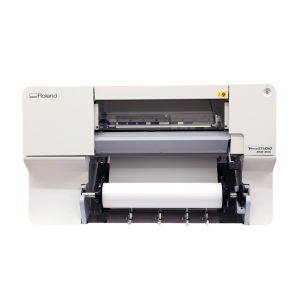
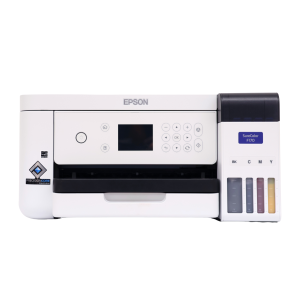
Print designs for t-shirts, mugs, and more. Please supply your own personal items on which you'll be adding or transferring your design. Sublimation paper (3.5 x 9, 8.5 x 11, and 8.5 x 14 inches) and butcher paper (4 x 9 and 12 x 12 inches) are available for purchase.
Visit the following learning spaces to get started.
Use these to scan and digitize documents, family photographs, and other print items.
The Northside Digital Studio has 32 GB flash drives that are available for purchase, but you may need to bring additional storage depending on the size of the project.

Visit the following learning spaces to get started.
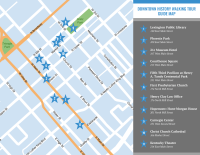
Join us for a walking tour of Downtown Lexington’s historic sites. The full tour is available as a single MP3, or you can download individual tracks. For the single MP3, music will play between the stops. You can pause the track while you walk between stops.
This tour covers a walking distance of 1.1 miles.
The music clips used in this tour are from “Walking Barefoot on Grass” by Kai Engel, and are used with a CCBY license. It is available here: http://freemusicarchive.org/music/Kai_Engel/
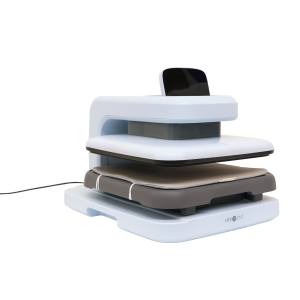
Transfer sublimation paper designs on mugs and tumblers. Please supply your own items to transfer on to. Sublimation paper is available to purchase, or you can use your own free of charge. Speak with a staff member before bringing or using your own materials.
Visit the following learning spaces to get started.
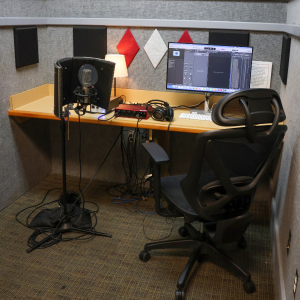
Audio booths are outfitted with a microphone, computer, headphones, and other recording equipment and software.
Musical instruments are available at the Northside Digital Studio audio booth. 32 GB flash drives are available for purchase at the Digital Studio, but you may need to bring additional storage depending on the size of the project.
Visit the following learning spaces to get started.
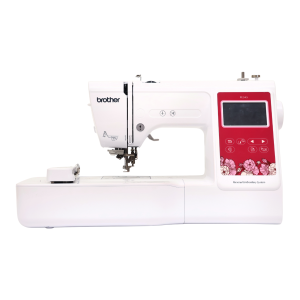
Use this machine to personalize your fabric items. Please supply your own personal items for embroidery. Thread is available free of charge, but please supply your own if you need a specific thread for your project.
Visit the following learning spaces to get started.
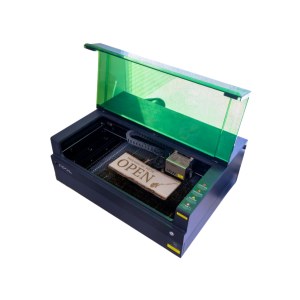
Engraver sizes varies by location. Cut wood or engrave on wood, metal, stone, leather, glass and more.
The Eastside Makerspace machine can hold items up to 19.6 x 12.5 x 5 inches. The Marksbury Family Branch Makerspace machine can hold smaller items like coasters and keychains up to 4.53 x 4.53 inches. Some items are available to purchase in the space, including keychains, business cards, coasters, and bookmarks.
Visit the following learning spaces to get started.
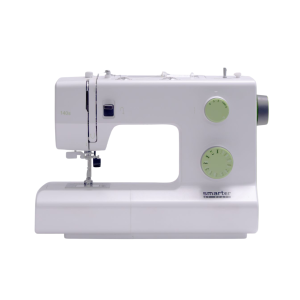
Sewing machines are available to use for basic sewing projects. Needles, notions, and threads are provided in the Makerspace. Please bring your own material, as well as thread if you require something specific.
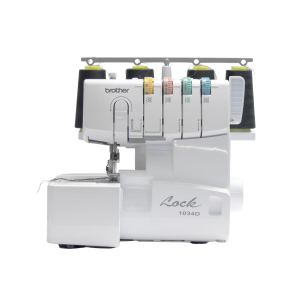
Sewing machine brand varies by location.
Visit the following learning spaces to get started.
Laminate items up to 24" wide. Lamination is priced per linear foot.
Visit the following learning spaces to get started.
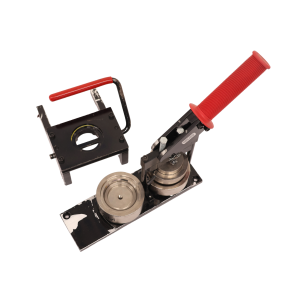
Make buttons and magnets using equipment and supplies available in the Makerspace.
The Eastside Makerspace offers 1.25” and 2.25” button makers for buttons and magnets. The Marksbury Family Branch Makerspace offers 2.25” button makers for buttons and magnets and 1” button makers for keychains, earrings, and paperclip bookmarks. Button, magnet keychain, earring, and bookmark materials are available to purchase.
Visit the following learning spaces to get started.
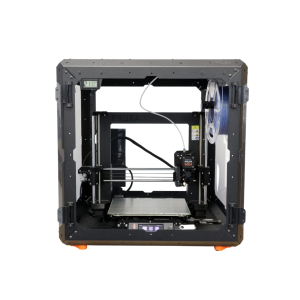
3D print a variety of items. PLA filament must be purchased from staff in the space.
3D printers are able to print items with a maximum size of 9.8 x 8.2 x 8.6 inches.
Visit the following learning spaces to get started.
Use this router for small scale wood milling. Available by appointment only. Please supply your own personal items for milling.
The machine can hold items with a maximum size of 8 x 8 x 3 inches. Speak with an Eastside Makerspace staff member to schedule an appointment to use the CNC router.
Visit the following learning spaces to get started.
Use this machine to bind paper booklets in a variety of sizes. Binding combs are available for purchase, or you can use your own free of charge. Speak with a staff member before use if you are using your own combs.
Visit the following learning spaces to get started.
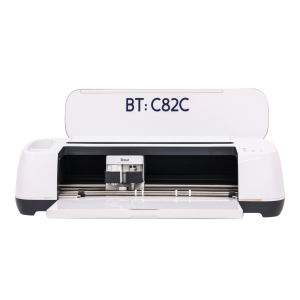
Cricut machines can cut 12 x 24-inch vinyl, fabric, and paper products. 12 x 12-inch transfer tape, permanent vinyl, and heat transfer vinyl are available for purchase, or you can use your own materials free of charge. Speak with a staff member before use if you are bringing your own materials.
Visit the following learning spaces to get started.